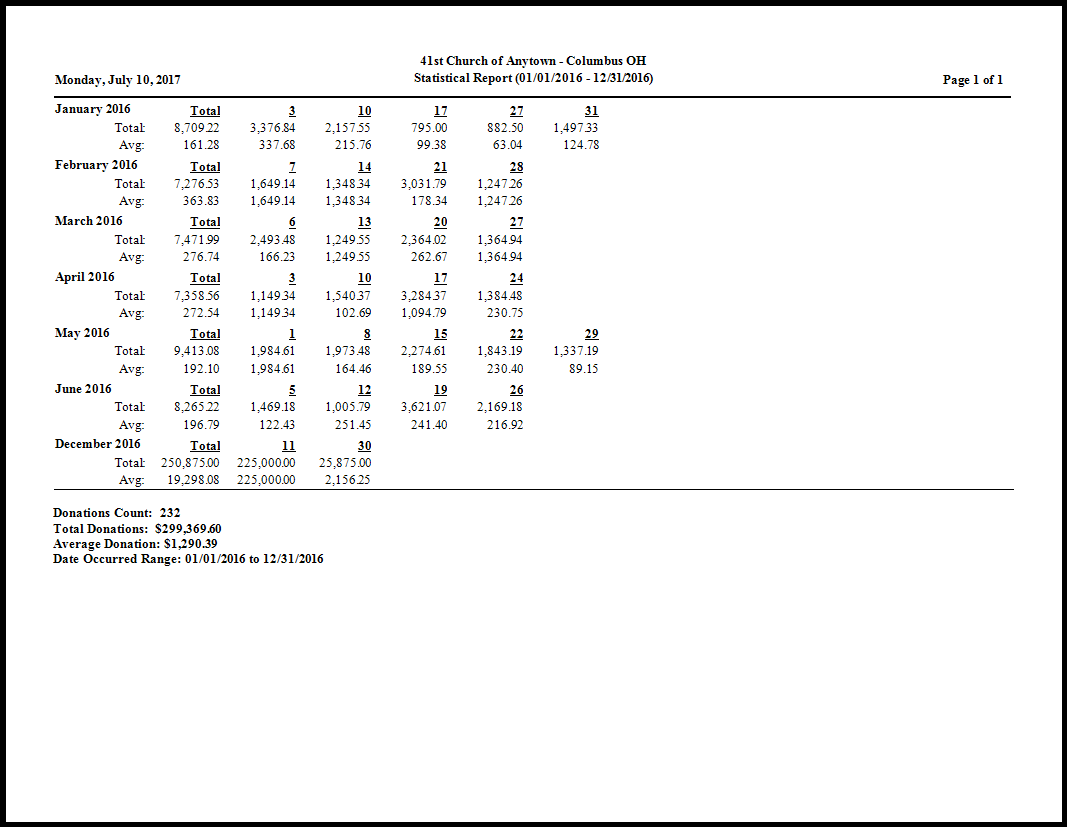
Statistical Report
This report is a quick and easy way to run a report of statistics about general giving information.
To view or print the Statistical Report:
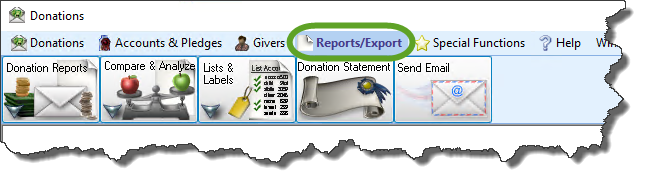
- Click Reports/Export in the Button Bar at the top of the screen.
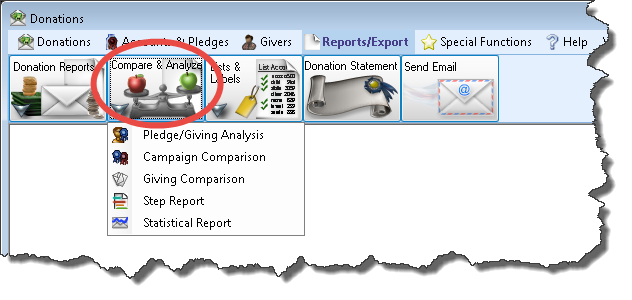
- Click the Compare & Analyzebutton that appears below.
- Click the Statistical Report button that appears in the adjacent menu.
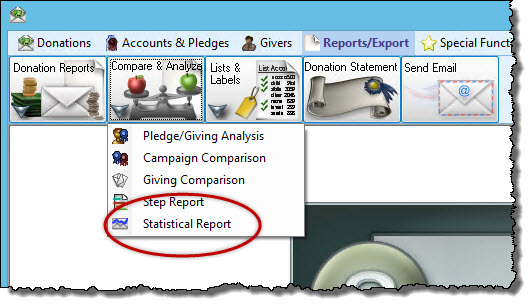
This will open up the Statistical Report screen to the Options tab. Here you can select if you want a Horizontal or Vertical layout. If you select a Horizontal layout, you can also choose whether or not to "Include Month Totals" and to "Show Month Total First":
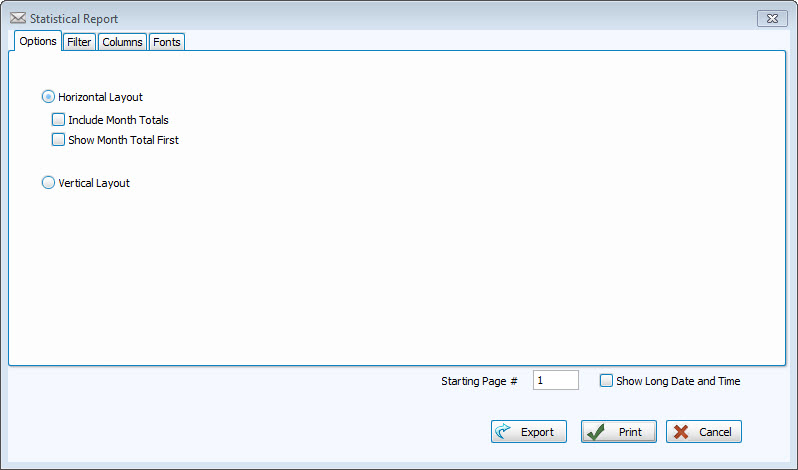
You can click Print here to get the generic report for the year including dates and totals, or click the Filter Tab, to change the options and get very specific information:
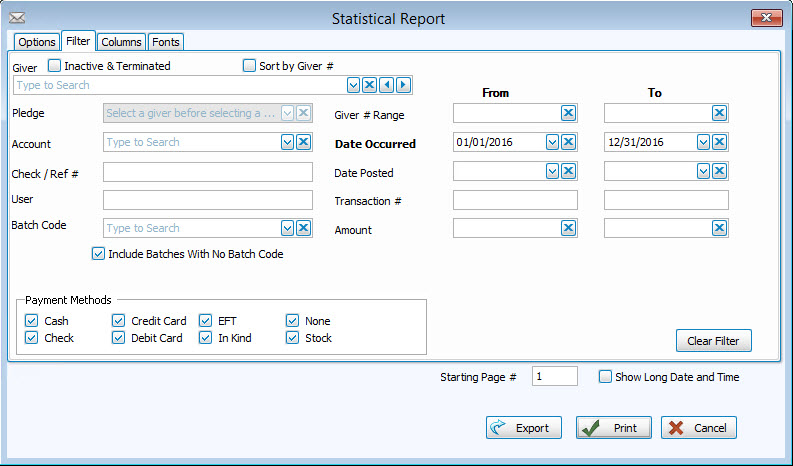
This is where you can choose certain Givers, Pledges, Accounts, Batch Codes, dates, even transaction numbers, amounts, and payment methods.
Choose any of the following tabs to apply additional settings:
Determines the order and the appearance of the columns displayed.
Sets the style and size of the typeface used to display the contents of the report.
Once you have made all of your selections, click Print to view a Print Preview and then proceed in sending the file to your printer. You can also Export most reports and/or Send via Email as a file to be used outside of Church Windows.