Manage Accounts
Manage Accounts lists active and inactive accounts, their settings, and links to the Accounting module. Accounts can be organized for reports and departments in Subtotals.
From the Manage Accounts screen, you can;
-
Add New Giving Accounts
-
Edit Account Settings
-
Archive Inactive Accounts
Access Manage Accounts
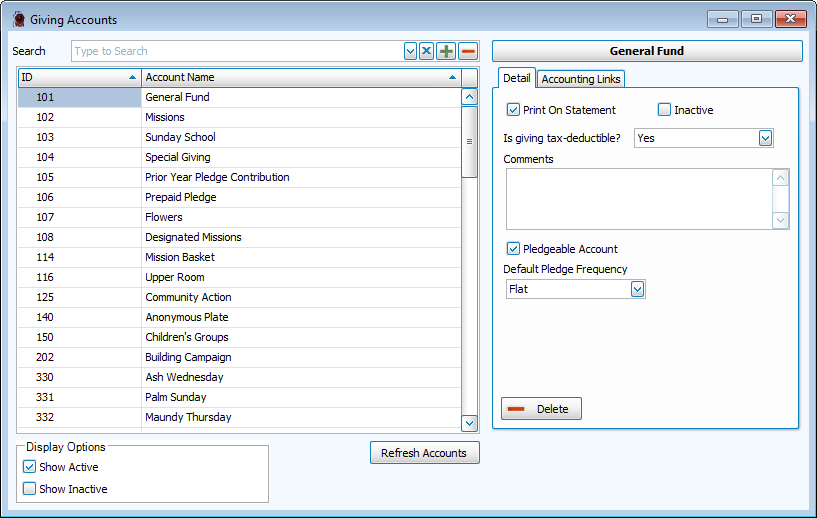
To access from the Button Bar, go to Accounts & Pledges > Manage Accounts.

To access from Enter Donations,  click the plus in the account line.
Add an Account
-
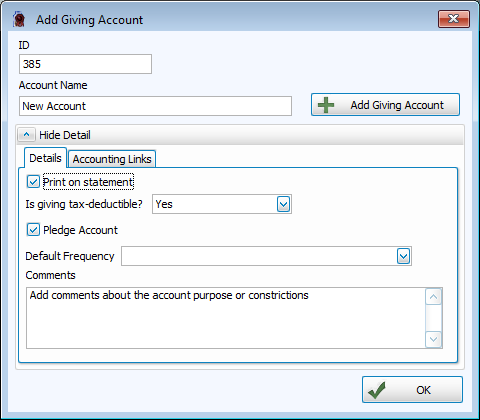
Enter an ID
-
Enter an Account Name
-
Add Account Details
Print on Statement
Check this box to include on Donation Statements.
Inactive
Marking an account Inactive will hide it on the Enter Donations screen. This keeps the giving history, but it will not take new donations.
Tax Deductible
Donations that qualify as tax deductible contributions to the church should be checked here.
Comments
If you'd like, describe the account purpose, management or other information.
Pledgeable
This setting makes this account available for pledges.
Frequency
If the account is pledgeable, indicate a default frequency here.
-
Connect to Accounting
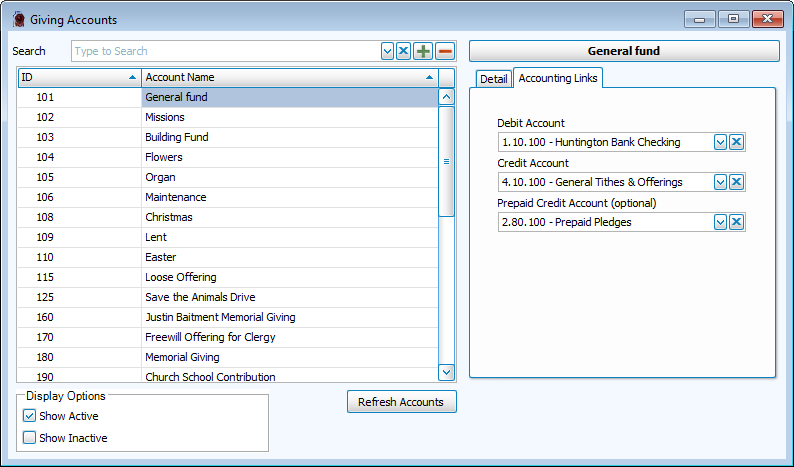
Select the Links to Accounting.
-
Click OK to save the account.
View or Edit an Account
-
Enter an ID
-
Enter an Account Name
-
Edit Account Details
Print on Statement
Check this box to include on Donation Statements.
Inactive
Marking an account Inactive will hide it on the Enter Donations screen. This keeps the giving history, but it will not take new donations.
Tax Deductible
Donations that qualify as tax deductible contributions to the church should be checked here.
Comments
If you'd like, describe the account purpose, management or other information.
Pledgeable
This setting makes this account available for pledges.
Frequency
If the account is pledgeable, indicate a default frequency here.
-
Click OK to save the account.
Delete an Account
-
Select an Account from Manage Accounts.
-
Click
 .
.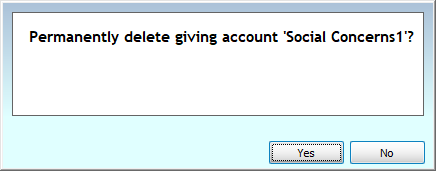
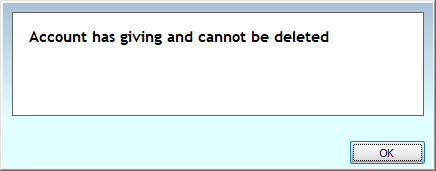
Only accounts with no giving or pledging history can be deleted. Alternatively, checking the Inactive check box to archive an unused account.
If the account can not be deleted, you'll see this message.
-
Confirm the deletion.