Manage Codes
Access Code Management
Click the edit button  next to the list field you want to edit.
List field options are managed here. Assignment can be done individually, or with Mass Edit or from the Find Grid.
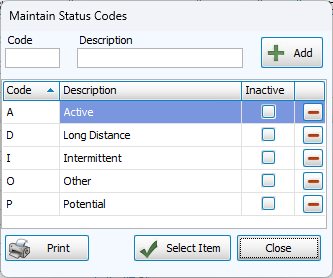
Add New Codes
-
Click
next to the drop down field to open Maintain Codes. -
Enter a short code and description.
-
Click
 .
.
Edit Codes
-
Click
next to the drop down field to open Maintain Codes. -
Highlight the field to edit and type your changes.
Make Codes Inactive
Making a code Inactive keeps the code in places where it's already been entered, but changes the text to red and asks to confirm if it's assigned.
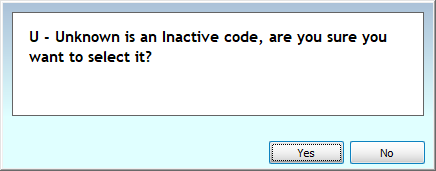
-
Click
next to the drop down field to open Maintain Codes. -
Check the box in the Inactive column.
-
Remove the check to make the code active again.
Delete Codes
-
Highlight the name of the field to delete.
-
Click
 .
. -
If that code is assigned to anyone, you'll be asked to confirm the deletion with the warning that it will clear the places it's currently listed.