Tax Reports
Federal, State, and Local Tax Reports
These reports show the annualized tables for withholding used to calculate the amount of income tax withheld. If State is selected you may choose one or multiple states. The state selected as the default on the system profile will automatically be checked for the State tables. These reports open up a "Wizard" that will walk you through the process of printing them with the correct information.
Annual 944 Form & Quarterly 941 Form
This is the federal report for wages, federal income tax, social security and medicare. If IRS has notified you to file Form 944, you need to file by January 31st of the year following the payroll year. If you file Form 941, then it needs to be filed quarterly by April 30th, July 31st, October 31st and January 31st. The instructions for both reports are the same, but the 941 report has a couple of additional selection screens. The following takes you through the screens and provides an explanation of key line items on the returns. If a step only displays for the 941, it will be clearly marked.
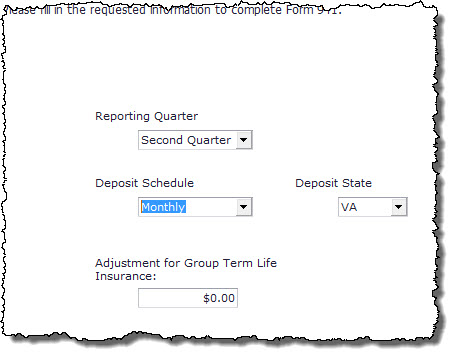
Quarterly 941 Form Wizard - This is a new interface to make the 941 printing easier and more functional. Start by filling in the appropriate fields in the initial 941-1 screen. The Adjustment for Group Term Life Insurance field is for employers that don’t gross up group term and don’t collect the social security due on it from their employees. It is the employee’s portion of Social Security and Medicare that was not withheld. Only use this box if you utilize Group Term Life and do NOT use the Calculate Group Term Life option. More information on that
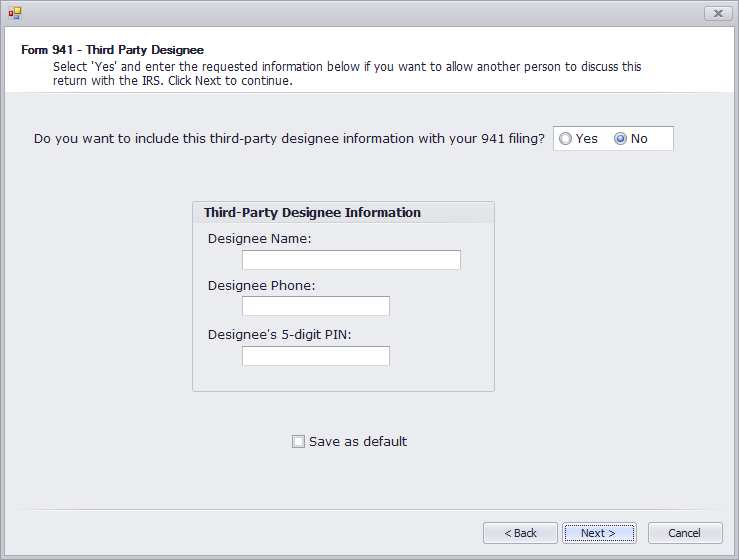
On the next screen, 941-2, you will be prompted to enter any third party designee information. This is used only if another person is preparing your tax form for you. Leave these fields blank if you do not, and click next.
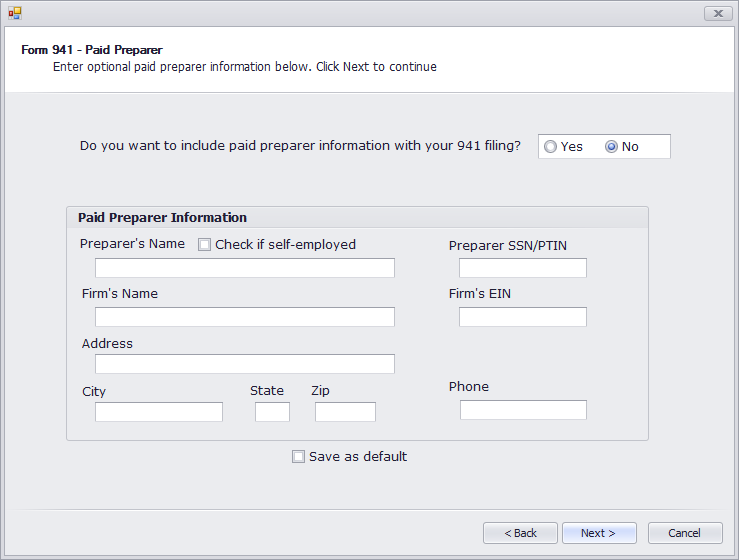
On the 941-3 screen it will ask for any paid preparer information. Again, if this is not applicable, click next.
Next choose to Print Form or Create E-File for TaxBandits to submit electronically. Finally, you will see a message “The total of deposits for this period is $xxx.xx. Is this correct?” If the amount is correct, choose Yes. If the amount is not correct, choose No, and enter the correct amount. Then confirm the amount entered is correct.
If the deposits are greater than the amount calculated, you will be given the choice to have the overpayment refunded (No) or applied to the next return (Yes).
The 941 form can be printed out, signed and mailed to the Internal Revenue Service. There are options at the top of the preview screen to format the report as needed:

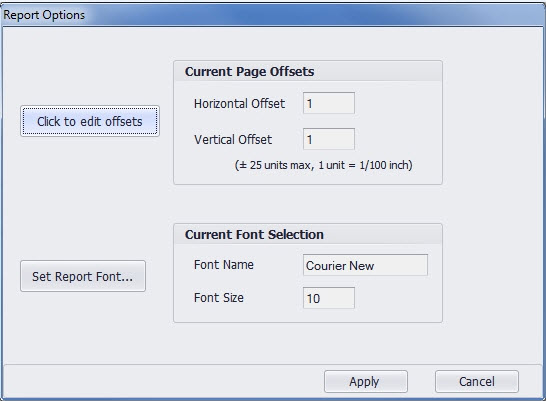
If you are having issues getting things to line up correctly or would prefer a different font, clicking the Report Options will let you customize this:
Here is an explanation of the line numbers and their corresponding functions:
Form 941 – Key Line Items
|
Line # Form |
Description |
|
|
941 |
944 |
|
|
2 |
1 |
Federally taxable wages for all employees – should include minister's wages, but not any housing allowance |
|
3 |
2 |
Total federal income tax withheld for all employees – includes minister's S/E tax if that option was chosen |
|
5a |
4a |
Column 1 - Taxable social security wages for all employees – should not include minister's wages |
|
5c |
4c |
Column 1 – Taxable social security wages for all employees – should not include minister's wages |
|
5d |
4d |
Total employee and employer's social security and Medicare tax as mathematically calculated |
|
7a |
6a |
Difference between mathematically calculated total from lines 4/5 and total social security and Medicare withheld from employee times 2 |
|
8 |
7 |
Total taxes withheld plus employer's matching social security and Medicare |
|
10 |
9 |
Total taxes due reported on the return |
|
11 |
10 |
Tax deposits made by the Church |
|
12 |
11 |
Remaining tax due with the return |
|
13 |
12 |
Overpayment of tax and choice of refund or applied to next return |
FUTA Report
Organizations exempt from income tax under section 501 (c)(3) [this includes nearly all religious organizations] are exempt from FUTA tax. The report shows by employee the total wages and FUTA wages in total and by quarter. The report also shows the tax payable and the total amount of non-taxable wages by quarter.
SUTA Report
Select the quarter to be reported. The report will show the social security number, name of employee, gross wages and weeks worked during the specified quarter. The report also calculates the SUTA tax owed based on the information you provided at the Tax Rates and Wage Bases screen under the Data Setup button on the Main Menu.
