Subtotals
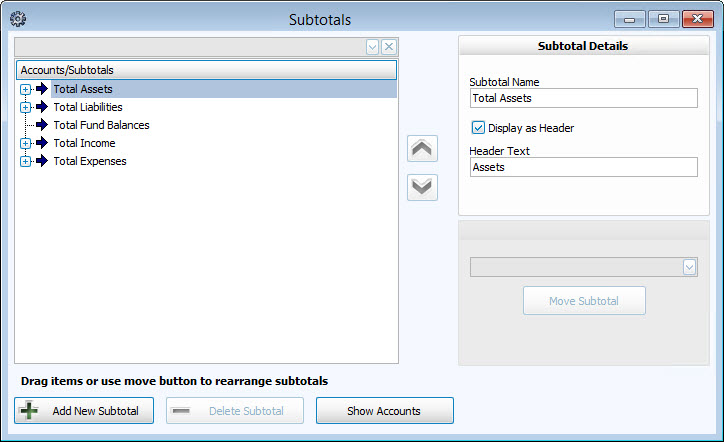
Once you have your Chart of Accounts entered, you can add subtotal lines to show on your reports a balance that represents all the accounts in the subtotal grouping.
To access the Subtotals screen:
- From The Initial Portal of Church Windows choose Accounting
- Choose Manage Accounts in the Button Bar at the top of the screen
- Click the Subtotals button
- Click the Show Accounts button at the bottom of the screen to reveal the accounts among the existing Subtotals.
- If no accounts immediately appear, expand the node of any subtotal until the account you need is revealed. Click the
 expand button to the left of each row to view details (when expanded it will become a
  collapse button). See the following image for an example: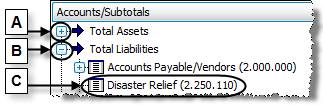
Click
 , a collapsed node
It turns into
 , an expanded node
Which then reveals
 any available accounts

 Move an Account
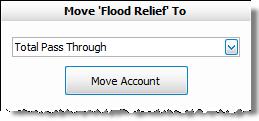
- Once you reveal the location of the
 account, click it once to select it.
 - Use the
 dropdown box above the Move Account button to select the destination subtotal.
 - Then, click Move Account to move the account to the new location.
Move a Subtotal

- Once you reveal the location of the
 subtotal, click it once to select it.
 - Use the dropdown box above the Move Subtotal button to select the destination subtotal.
- Then, click Move Subtotal to move the subtotal to the new location.
- Alternatively, you can also move the subtotal by clicking the one you want to move, and clicking the up or down arrows
 found in the middle of the screen.
Click-and-Drag Subtotals and Accounts
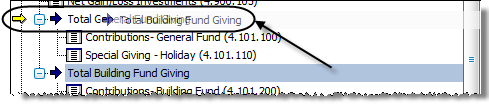
- Locate the desired subtotal or account, and click it once to select it.
- Then click and hold down the mouse button and drag the mouse pointer towards the destination Subtotal.
- Release the mouse button when the destination subtotal is reached.
Subtotal Details
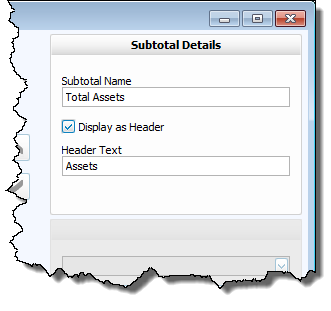
- Click any subtotal in the list and type the Subtotal Name in the box provided.
- Place a
 check in the box if you would like this name to Display as Header for the accounts and Subtotals in its group.
 - Type in a Header Text if you wish the header to be of a different name than the Subtotal Name.
