Skills
In this area, you may record information about each person’s skills, interests, gifts, or talents. You may rename Skills / Interests and call it something else if you like (for example, Time / Talents) using Membership Settings.
To work with Skills / Interests
- From The Initial Portal of Church Windows choose Membership
- Click Groups / Skills in the Button Bar at the top of the screen
- Click Skills
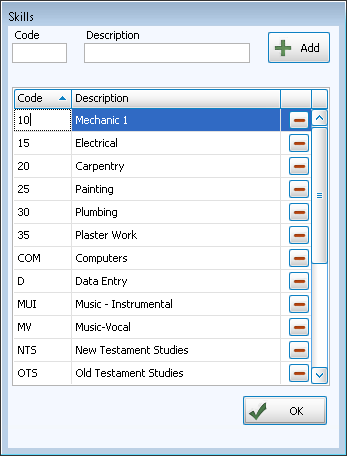
You create your own list of skills and interests to assign by Adding, Editing, and Deleting Skills / Interests.
There are two ways to assign skills and interests to people in your data base:
OR
For each skill or interest, you may also record a Level of the person’s interest and any relevant Comments.
- Level
is a List field that you can use to indicate any additional information
about this person’s skill or interest. You may then
later create reports limited to only those with a certain level.
For example, if the Skill / Interest is "Vocal Music", you could use the Level column to indicate what choir part they sing: S for Soprano, A for Alto, etc.
- Comments is a Character field. There is no other standardization to the Comments area. You may use this for whatever comments you wish.
