Credit Memos
A credit memo is used in Church Windows to apply a vendor-issued credit to an outstanding bill or to adjust a previously recorded expense. This reduces the amount owed to the vendor without issuing a separate payment.
Credit memos may be applicable in a number of cases such as
-
A refund for returned goods or overcharges
-
A discount adjustment or promotional credit
-
A correction for a previously overpaid invoice
Entering a Standalone Credit Memo
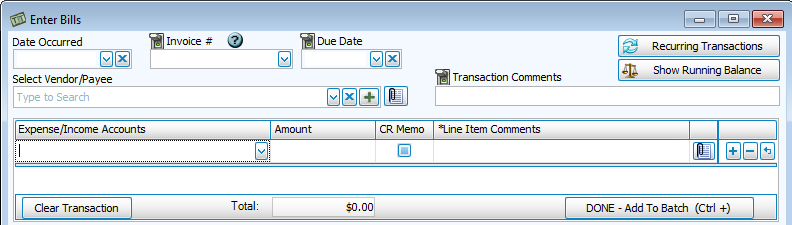
-
Navigate to Transactions > Enter Bills and select the vendor
-
In a new line item, enter the credit amount and check the CR Memo box
-
Click Done - Add to Batch
-
Click Post