Campaigns & Pledges
Pledges is an area where you can manage your campaigns and enter or edit pledges.
Access Pledges
To access from the Button Bar, go to Accounts & Pledges > Pledges

or
To access from the Home Screen, go to the Quick Access Button

This will open the View and Enter Pledges screen. This screen is split into two different tabs:
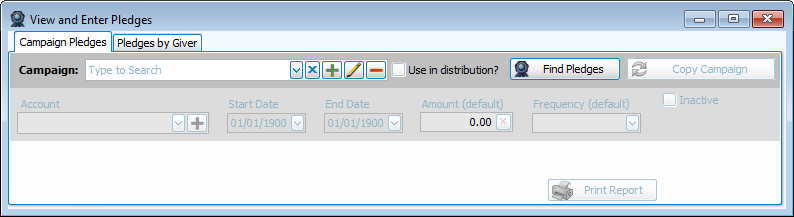
Campaign Pledges
A pledge campaign is a collection of pledges within a defined time period for the same giving account. Many churches have an annual pledge campaign that goes into the General fund. Some churches may have a specialized Building Campaign for a large remodel or project and may span multiple years.
Pledges by Giver
Pledges by Giver are individual pledges from givers in your congregation. These pledges can go to any account and have their own date range and are not a part of a campaign. These might be appropriate when someone wants to pledge designated giving or if you don't typically have campaigns or pledging, except for a handful of individuals.
Pledge Frequency
Pledge Frequency is how often pledge donations will come in. This setting will determine where someone is in their pledge and whether they are current or have not yet met their pledge at a given time.
Flat
Due at the start of the campaign; use for one-year pledges.
Annual
Due once on the last day of each campaign year; use for multi-year pledges. These will only appear on Donation Statements for the entire year, but not on partial year statements. Use Flat for a single-year campaign.
Semi-Annual
Due once every six months.
Quarterly
Due at the end of each quarter.
Monthly
Due once each month.
Semi-Monthly
Due twice per month.
Bi-Weekly
Due every other week.
Weekly
Due each week. (Check the "Week Day for weekly pledges" box in Donations Settings if you see 53 weeks instead of 52, which happens during or after a leap year.)
Pre-Paid Pledges
Pledge Campaigns are assigned a time frame, such as 01/01/2023 - 12/31/2023. There may be occasion where a giver would like to make a donation at the end of 2023 that will go towards their 2024 pledge. This way, their 2023 giving statement will include this donation that they can then apply towards their taxes for the year, even though it's going towards next year's commitment.
To enter a pre-paid pledge, the pledge campaign must be set up and the pre-payer entered into the campaign. In Enter Donations, click the Account dropdown in the line items section. Scroll through the list to find the correct pledge range. This will keep the Donation Date is in the current year, but the donation will apply to the next year's campaign.