Setup Giving Accounts
The Setup Accounts tab of Import Donations allows you to assign records in Church Windows to their corresponding ID numbers from an online giving system.
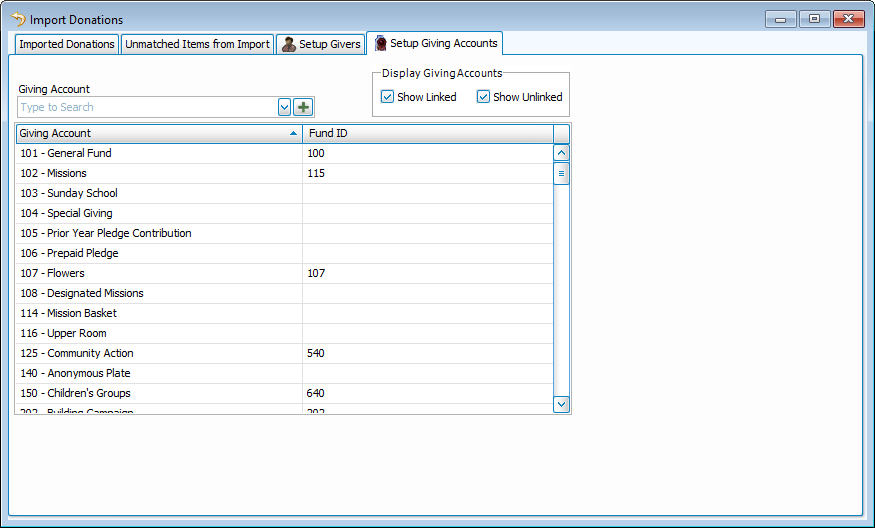
Manage Accounts for Imports
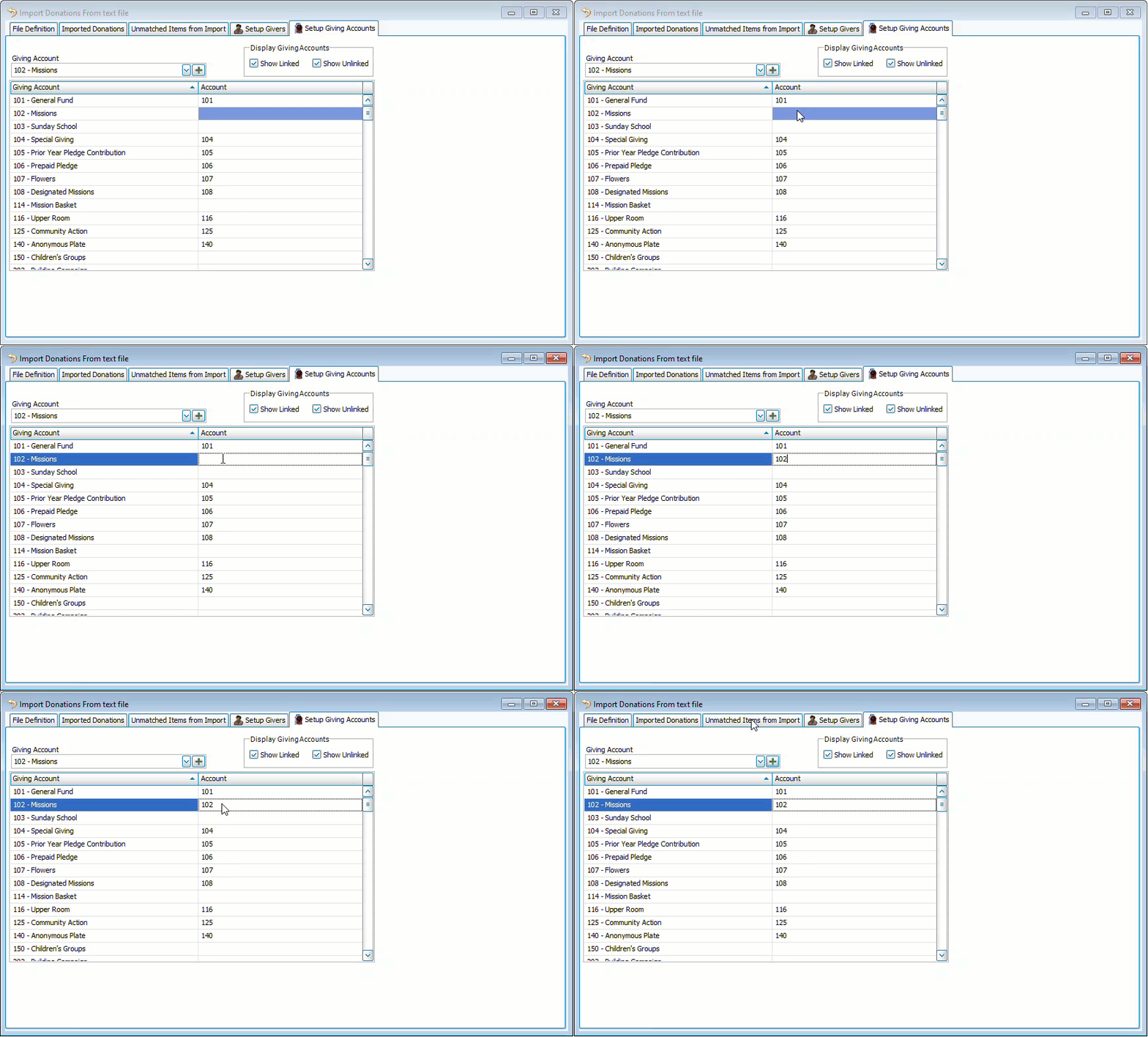
Assign an Account ID
-
Click inside the Account ID column next to the account you want to assign.
-
Key in the associated ID(s).
Accounts can only be associated with a single account ID from an online giving service.
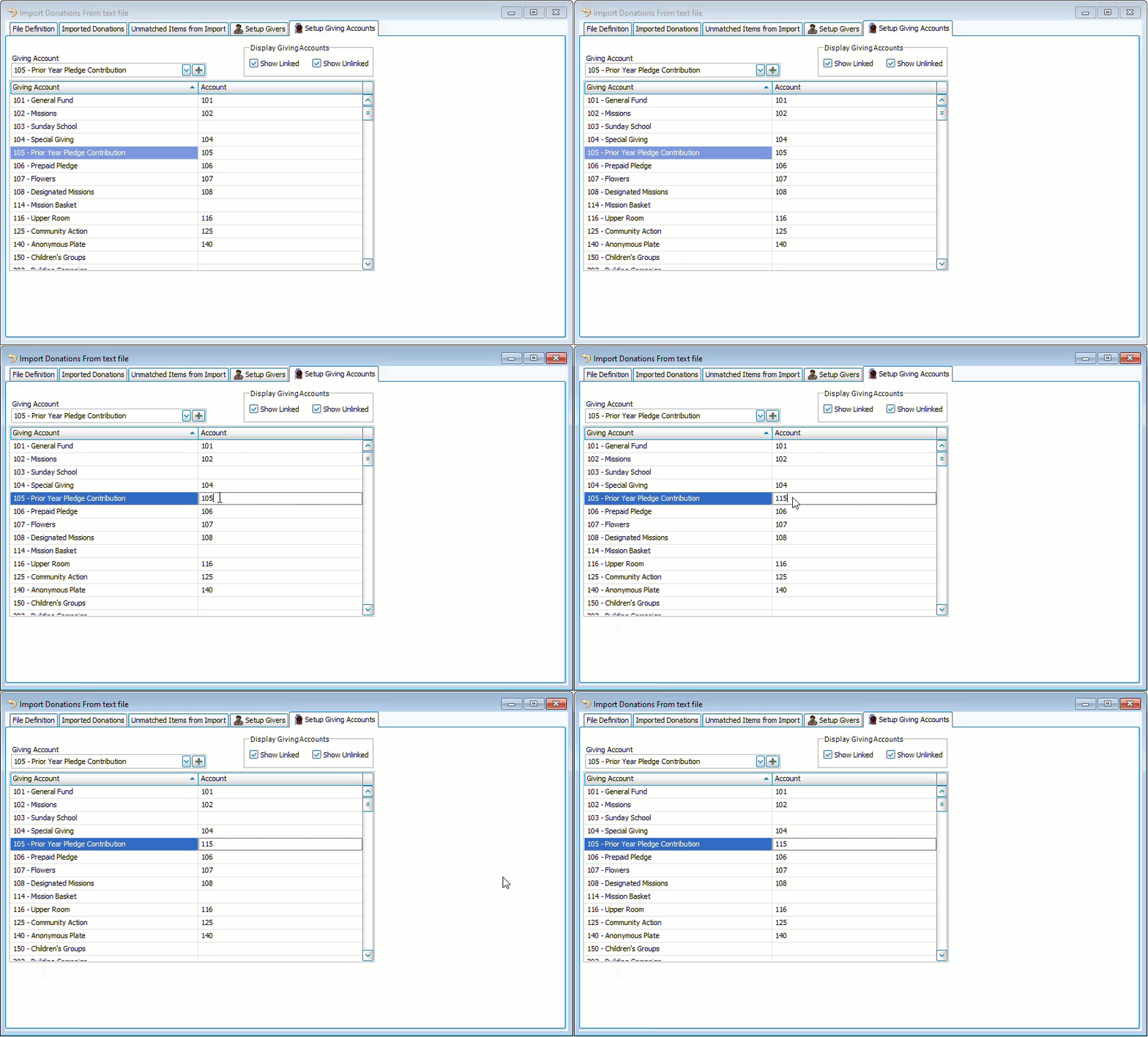
Edit an Account ID
-
Click inside the Account ID column you want to edit.
-
Make your changes and click outside of the grid.
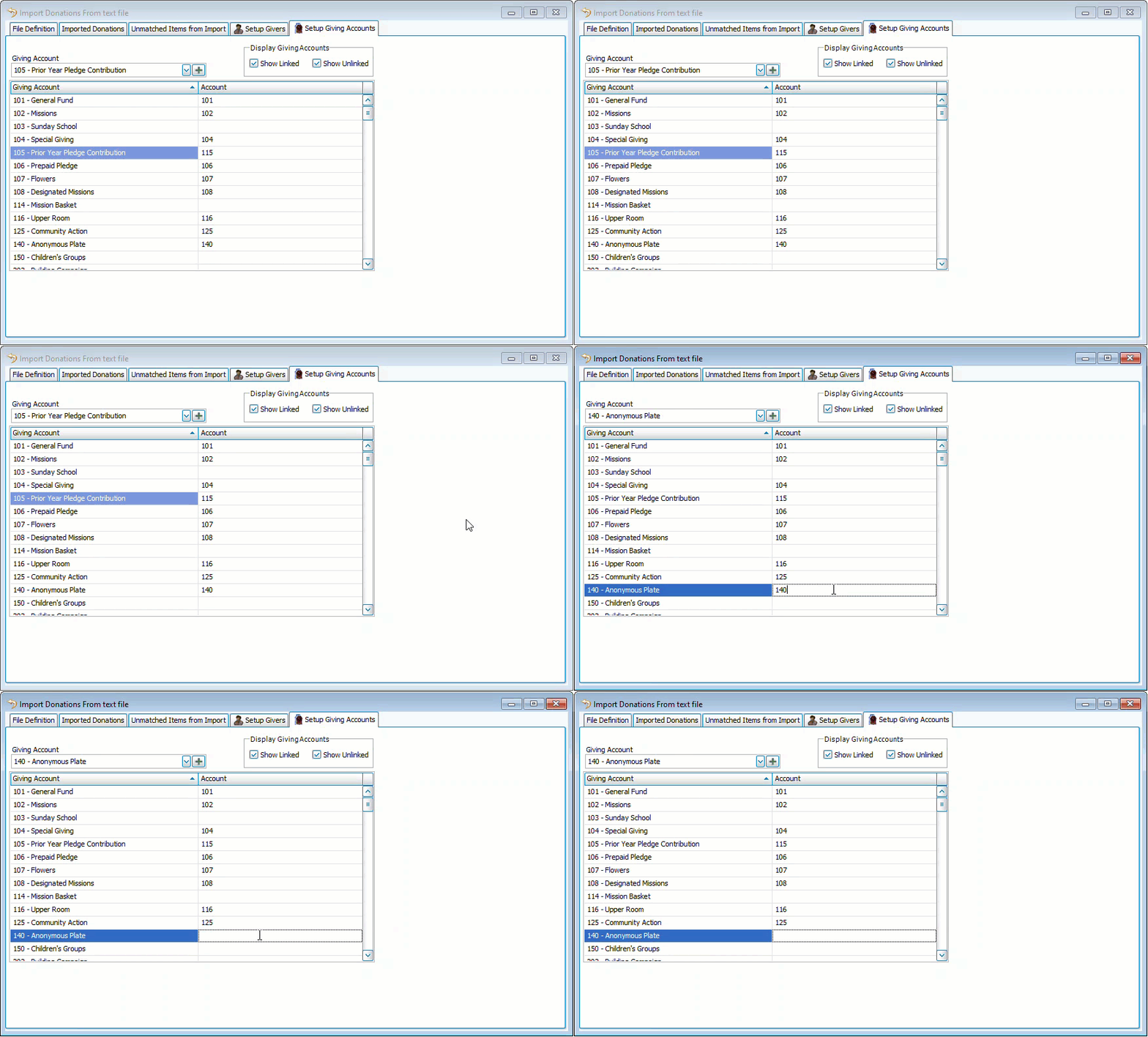
Remove an Account ID
-
Click inside the Account ID column you want to remove.
-
Make the changes and click outside of the grid.