Setup Givers
The Setup Givers tab of Import Donations allows you to assign records in Church Windows to their corresponding ID numbers from an online giving system.
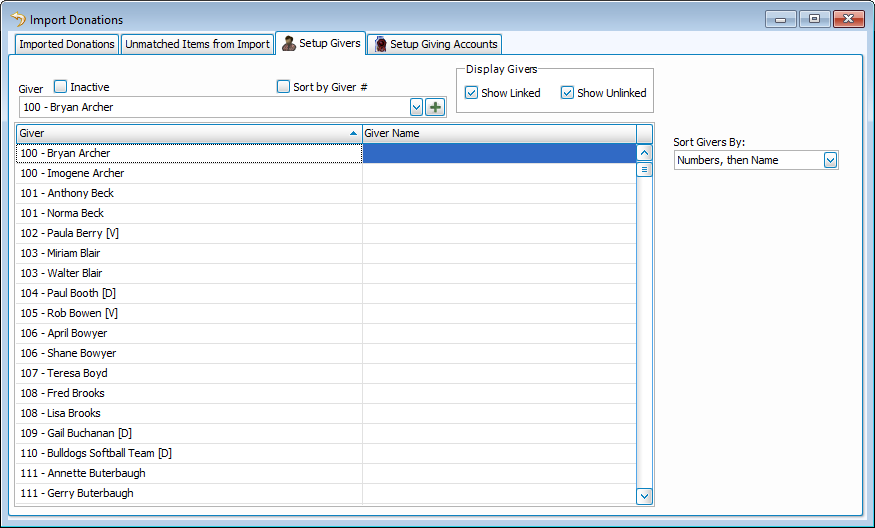
You can have more than one ID for each giver. This may occur because the same person created two accounts for online giving, or spouses may each have their own account. Add an additional ID the same way you'd assign an original.
Manage Givers for Import
Assign a Giver ID

-
Click inside the Giver ID column for the person you want to assign.
-
Click to add a new row.
-
Key in the associated ID(s).
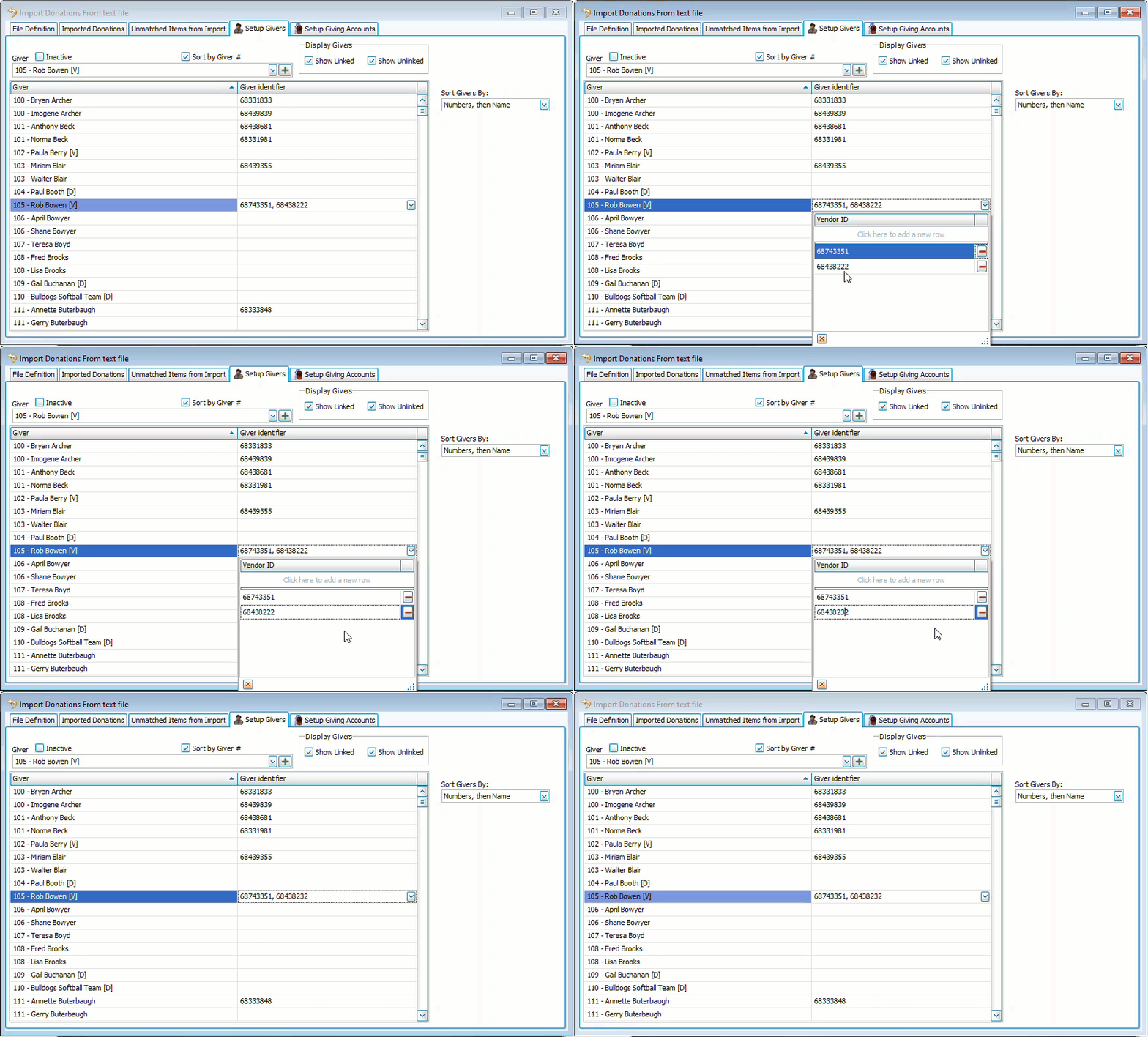
Edit a Giver ID
-
Click the ID and select the line to edit.
-
Make changes and click outside of the ID drop down.
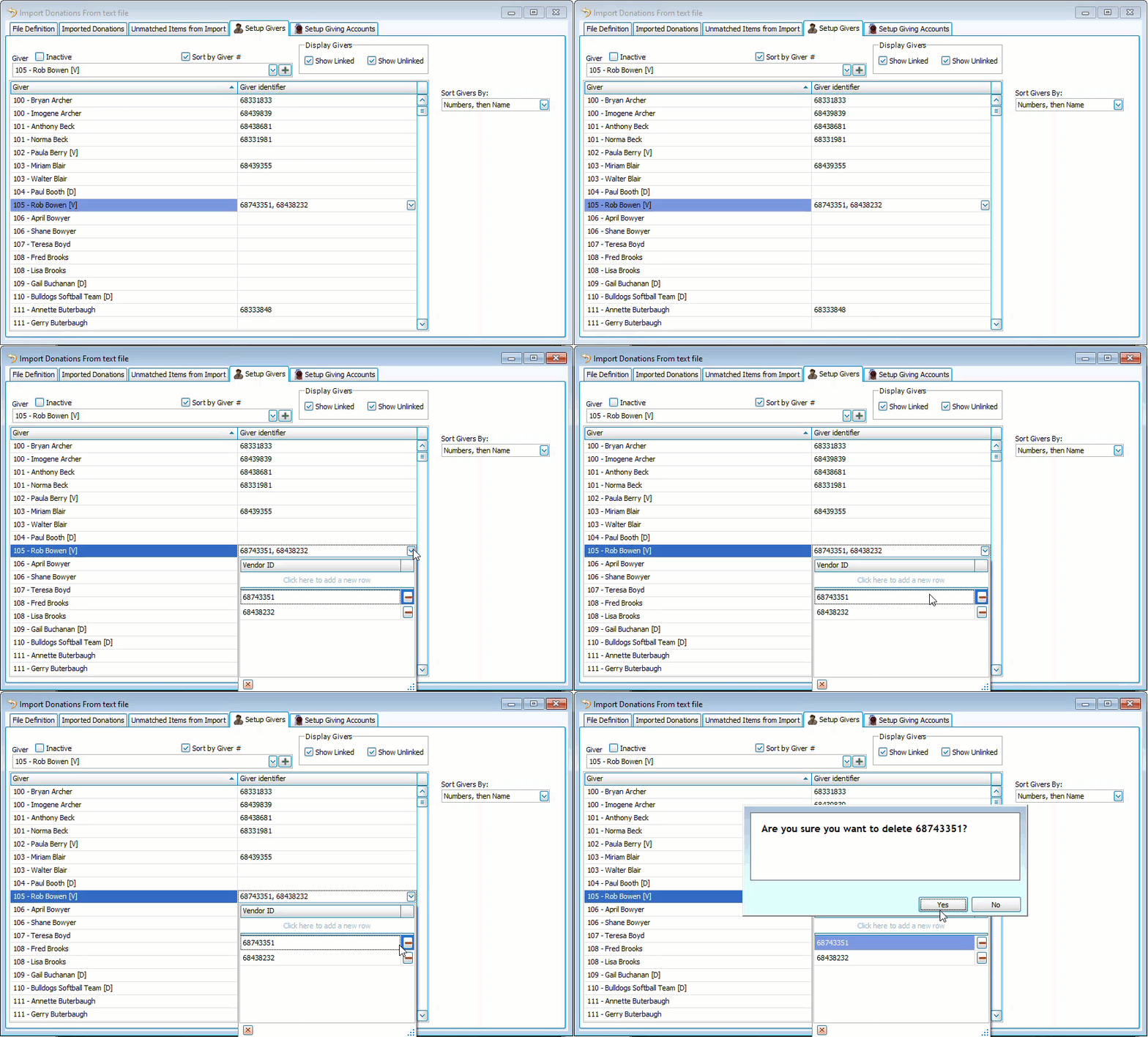
Remove a Giver ID
-
Click the Giver ID column to expand.
-
Click
 to remove the ID.
 -
Click
 to confirm deletion.