Notebird Integration
Access record information from your Church Windows Membership module online through Notebird. Notebird allows you to track and organize pastoral care notes, follow ups and milestones. After setting up synchronization with your Notebird account, congregant information from Church Windows will refresh every hour ensuring your information is up to date.
Sync Notebird and Church Windows
-
Create a Notebird account.
Only one person needs to create an organization account. Additional users can be added to this account.
-
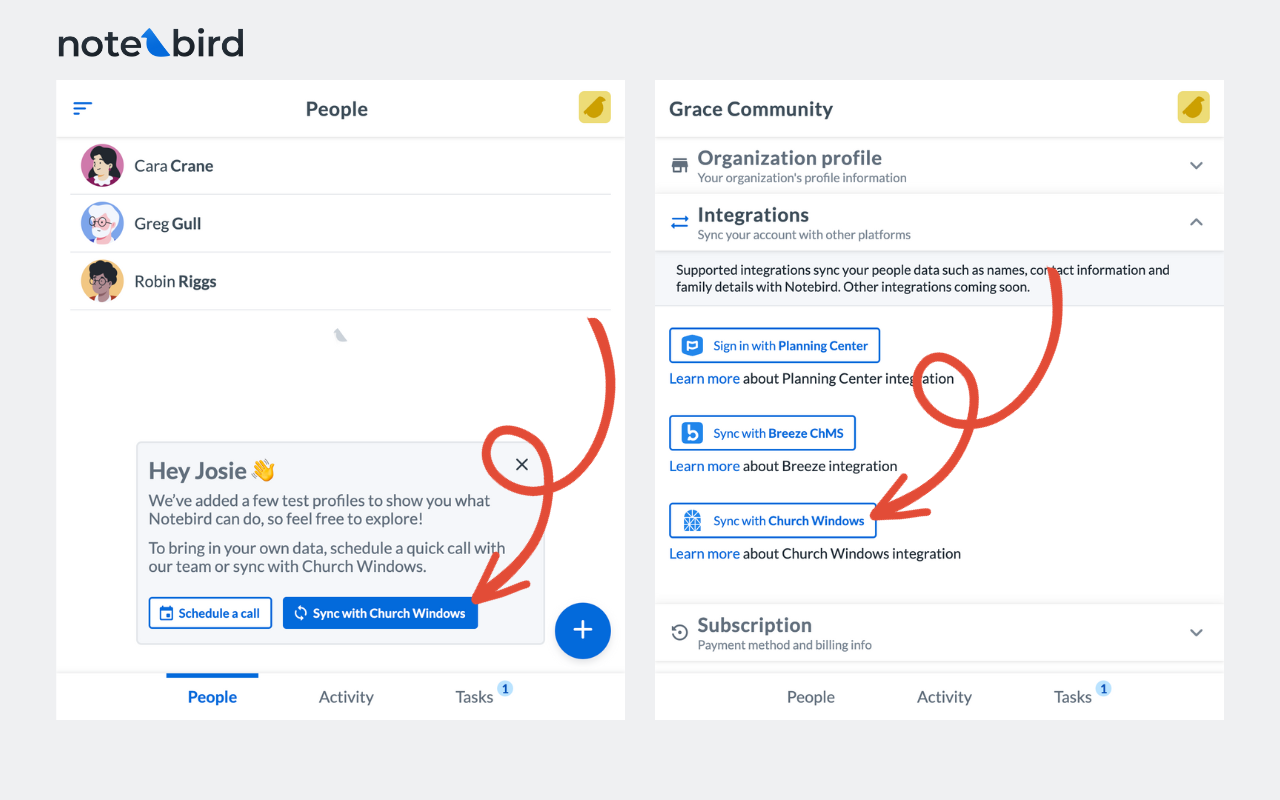
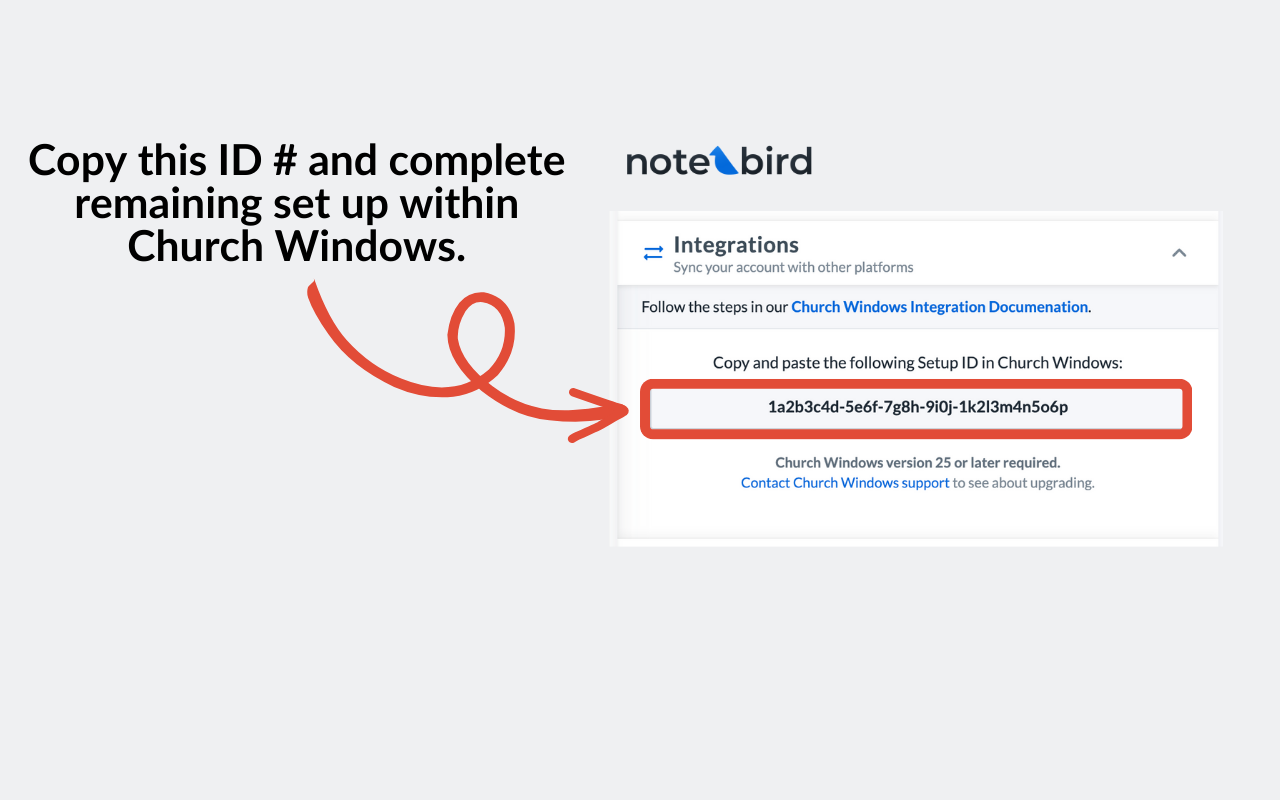
Copy the Integrations ID from the Sync with Church Windows button on the integrations settings page.
-
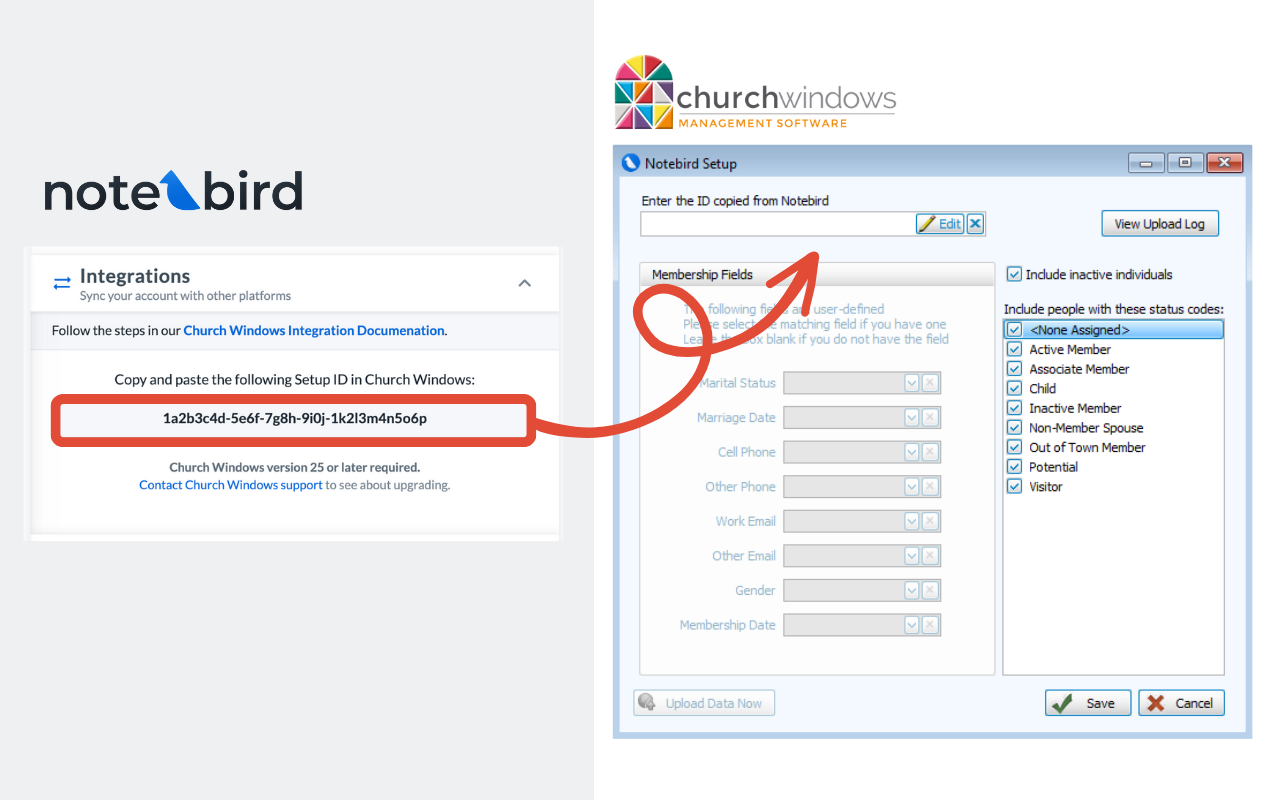
From the Membership module, navigate to the Special Functions menu in Church Windows and click Setup Notebird.
Paste the Integration ID Number.
-
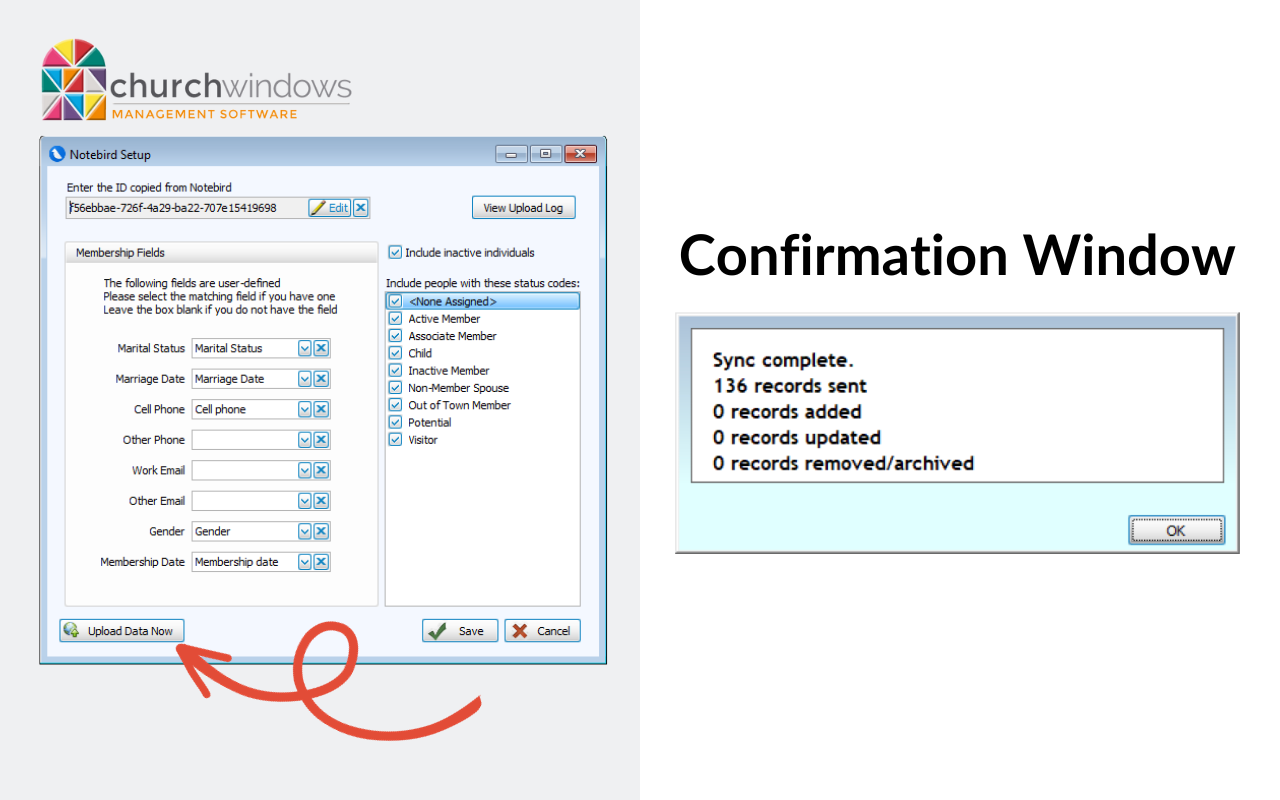
Match fields in from the drop down menu. Leave the field blank if you do not have a corresponding field.
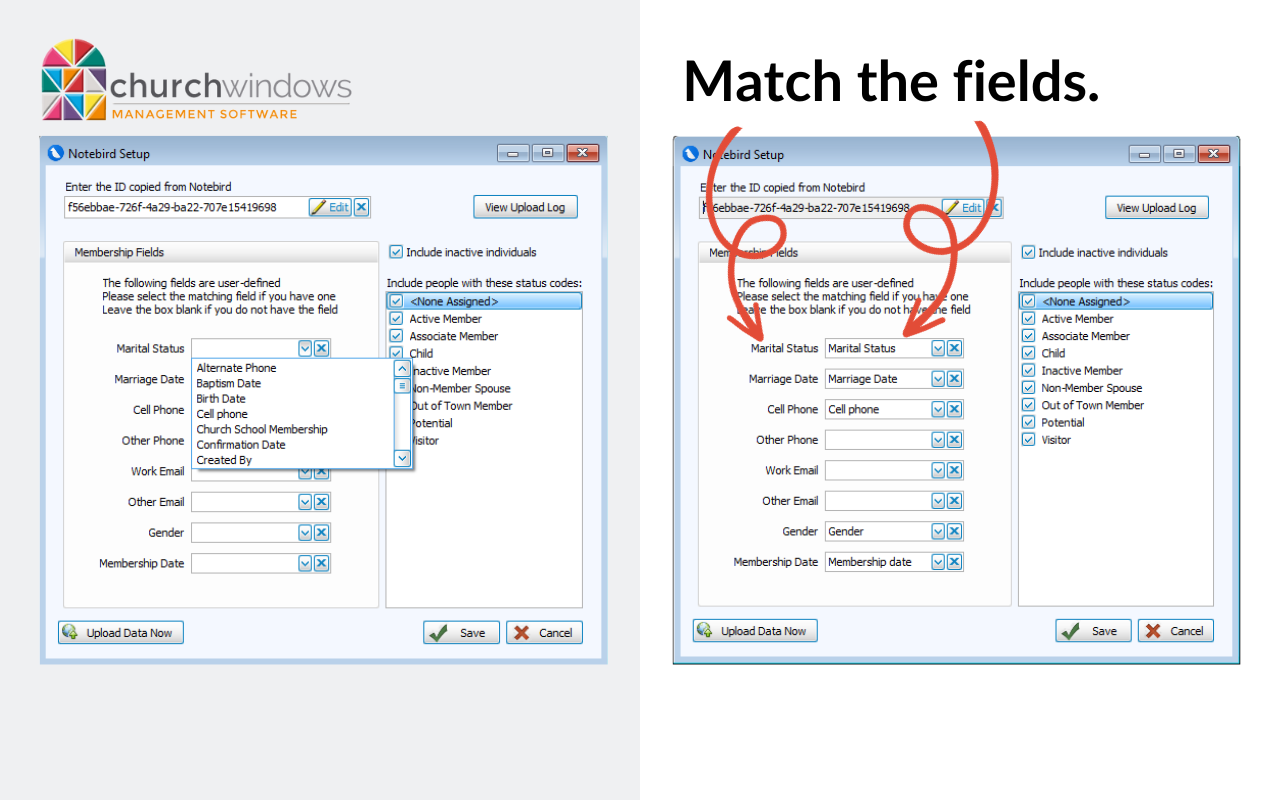
-
Click Upload Data Now.
This will export Membership Data into Notebird and display a confirmation window when complete.