Group Reports
Group Reports
Access Group Reports
To access from the Button Bar, go to Reports/Exports > Groups/Skills.

Selecting Groups or Skills
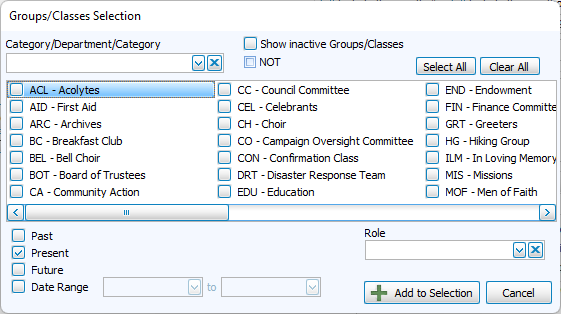
Groups/Classes Selection
-
Category/Department/Category - Filter available groups and classes, click Select All or Clear All to expedite selections.
-
Inactive - To run reports on groups that have been marked inactive.
-
NOT - This check box will exclude any checked selections.
-
Filter by time period by selecting Past, Present, Future or in a Date Range.
-
Filter to Role specified in Group Assignment
Email Parents
You can create an email list that goes out to the parents (Directory Report orders 1 and 2) of children.