About Membership
The Membership module centers around the people that make up your community. In this module, you'll keep track of the families and individuals, important dates, history and descriptors. Create procedures to welcome new visitors with Visits and check ins. Track attendance for services or classes along and gain insights on events from the attendance reports. Use skills and interests to tag people for volunteer opportunities and ways in which they help each other and make contributions of talent. Reports in Membership can be used to create simple mailing lists for birthday cards or a detailed and customized church directory. Use complex criteria to find exactly the people you need to check in with and leverage your data for more effective outreach.
Navigation

Open Membership from the Initial Portal of Church Windows.
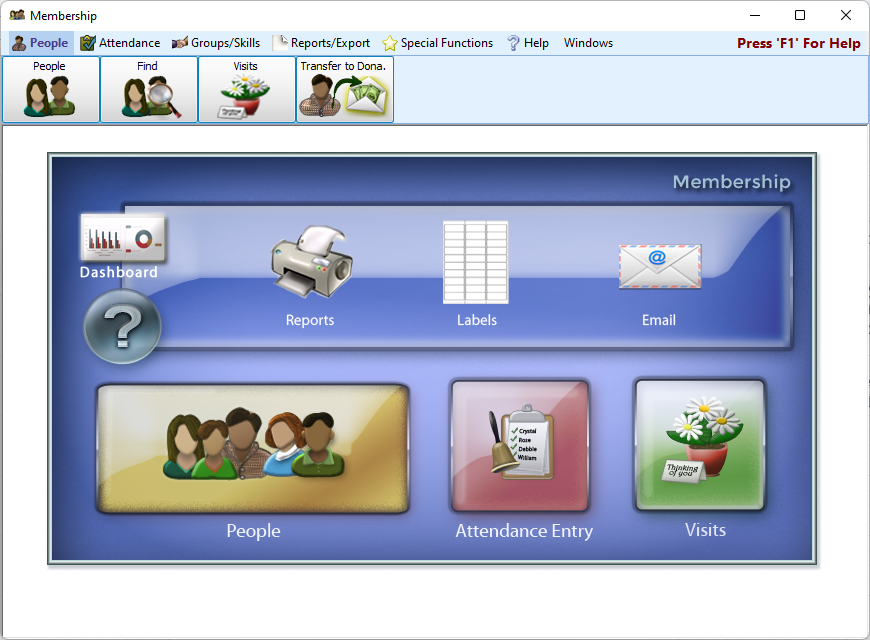
From the opening screen, you can use the Quick Access Buttons in the center to shortcut over to some of the more popular areas of Membership. Along the top menu bar, select the People, Attendance, Groups/Skills, Reports/Export, or Special Functions menus. Making a selection will display that menu on the Button Bar.
 People

Your records are located here. You'll come here to add or look someone up.

Find displays people in a grid format allowing you to browse lots of records or make mass edits.

This allows you to track and schedule visits and follow ups with your members.

Transfer Membership Records to Donations
This tool allows you to move records housed in Membership to instead be housed in Donations.
Attendance


Record attendance for services, groups and classes.

Review attendance entries and lists

Correct an incorrect attendance entry or consolidate attendance history in duplicate records.

Synchronize with our partner, KidCheck, a childcare check in service.
Groups and Skills

From this area, you can create and manage your departments, groups, and classes.

Use this area to assign people to your groups.

Move groups along a progression with the advance groups function.

List and categorize skills and interests.

Tag people with their skills and interests.
Reports and Export

Generate reports, exports, labels, and directories.

Create lists of birthdays.

Create lists of anniversaries.

List group and class members and roles.

List attendance history and records.

Report on visits.

Blank Data Entry Form and Duplicate Report
Other reports include creating blank forms or getting a list of duplicated names.

This area lets you email one person or a group via Church Windows.
Special Functions

These are the settings specific to the current user in Membership.

In this area, you can advance the grade field entry for children in your congregation.
Move groups along a progression with the advance groups function.

Here are your bulk mailing functions and settings.

In this area, you can add and edit the data fields on a record.

The Membership dashboard offers visuals and totals based on your data.